🚀 [Full Guide for New Users] Control When Your MOVA Robot Vacuum Empties Its Bi
"Why does my robot keep going back to base?" / "How to make it empty more often?" - We've got you covered!
🔧 Part 1: Set Your Preferred Emptying frequency
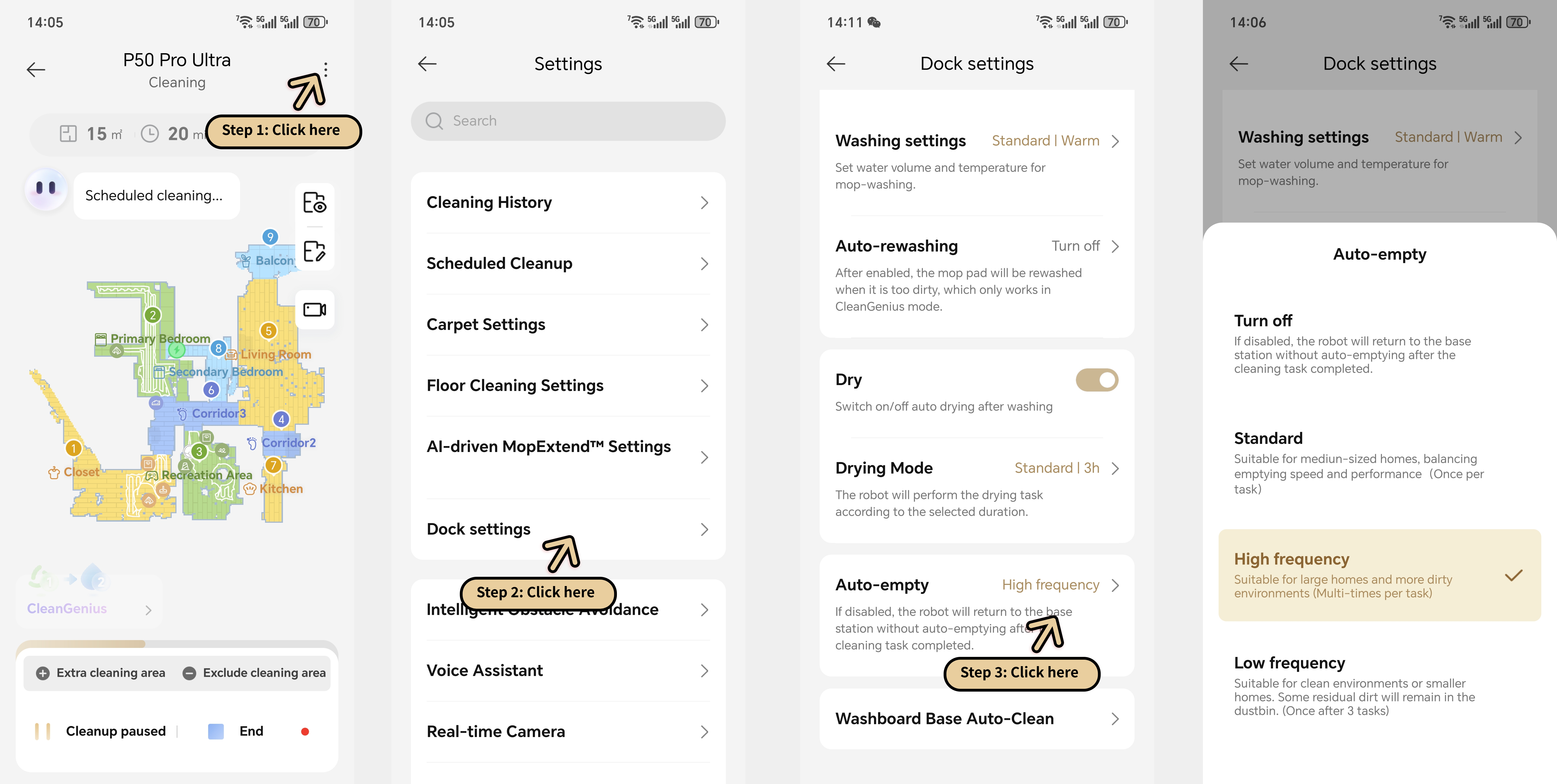
1. Open MOVAhome App → Go to your robot's map view
2. Tap ⋮ menu (top-right corner)
3. Choose Base Settings → Auto-Empty
Choose your mode:
🆓 No Emptying:Never auto-empties
🕒 Standard Mode:Empties after scheduled cleaning tasks
⚡ High Frequency:Empties MULTIPLE times per task (smart detection)
🌿 Low Frequency:Empties after 3 FULL cleaning cycles
Pro Tip:
🐾 Pet owners: Switch to High Frequency Mode if you have shedding dogs/cats – prevents hair clogs!
⚠️ Part 2: Immediate Emptying
(When you need it NOW)
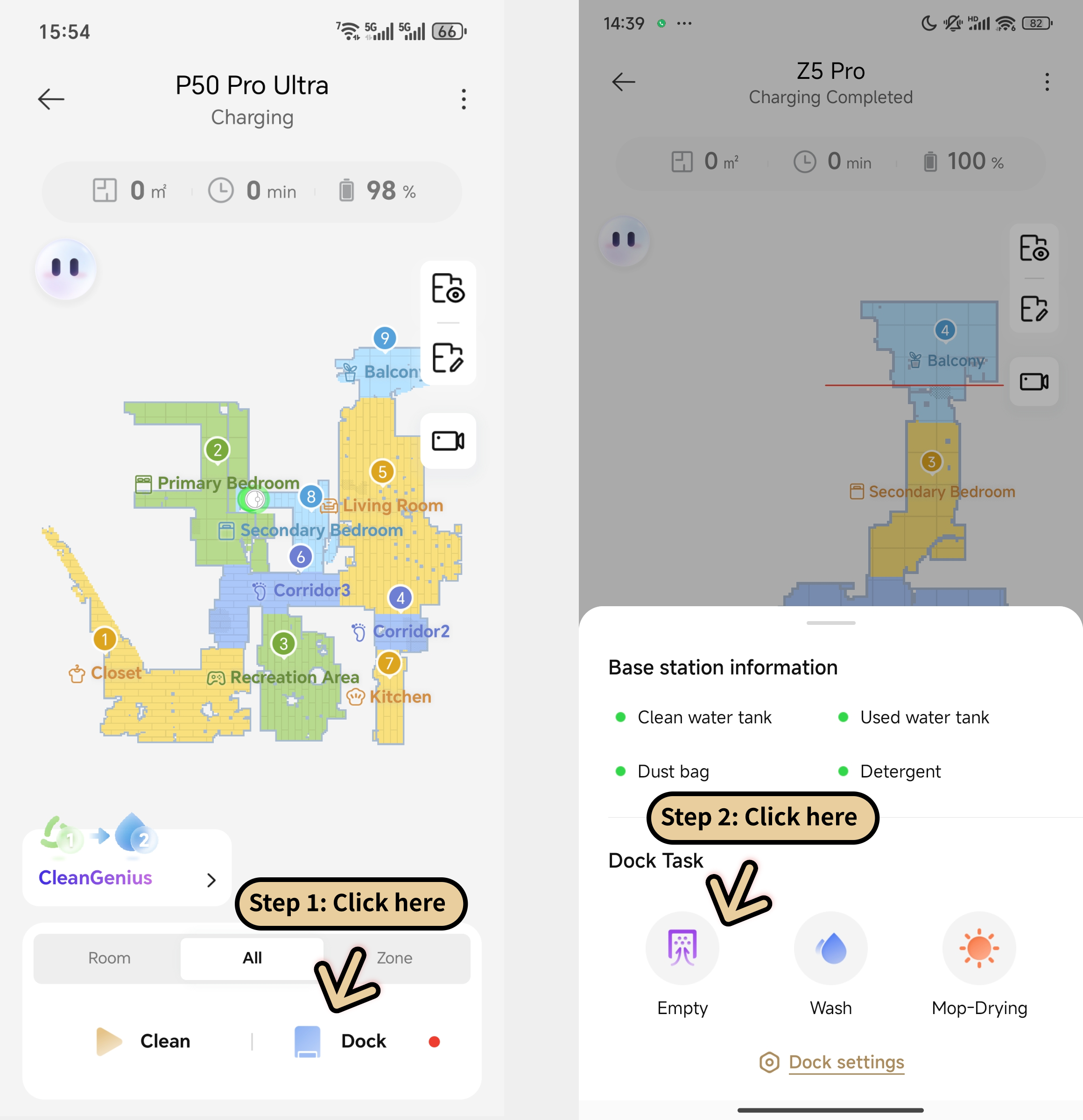
1. From map view, tap Dock station icon (bottom-right)
2. Hit EMPTY NOW
Robot will:
→ Return to base
→ Empty within 20 sec
🗨️ "I use [Mode] because..."
(Click reply to share your setup!)




 1592
1592



 CA
CA






